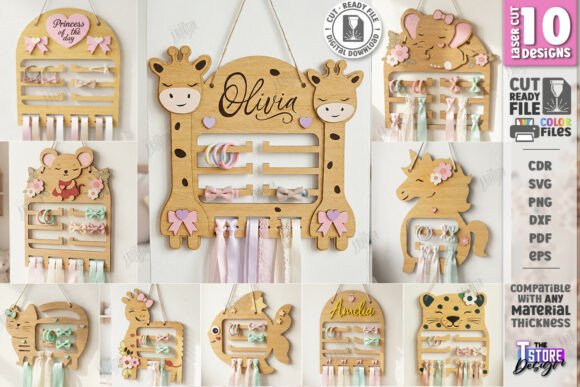
Transforming Nursery Organization with Laser Cut Baby Bow Holder Bundles
In the modern era of parenting and home decor, organization has evolved from a mere necessity into an art form. Nowhere is this more evident than in the nursery, where functionality meets aesthetics to create spaces that are both soothing for the child and efficient for the caregiver. Among the most charming yet practical additions to this space is the baby bow holder. While traditionally a simple hook or rack, the advent of digital fabrication technology has revolutionized how these items are designed, produced, and personalized. This article explores the world of laser cut baby bow holder bundles, examining their significance, the technology behind them, and how they serve as a perfect intersection of creativity, business, and daily utility.
Understanding the Concept: More Than Just a Hook
At its core, a baby bow holder is a storage solution designed to keep hair accessories—specifically bows, clips, and headbands—organized, visible, and tangle-free. For parents of young girls, managing a collection of hair accessories can quickly become overwhelming. These small items often end up lost in drawers or tangled in bins. A wall-mounted holder solves this by turning storage into a display.
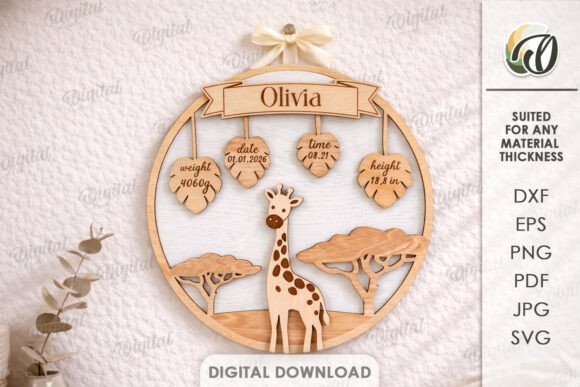
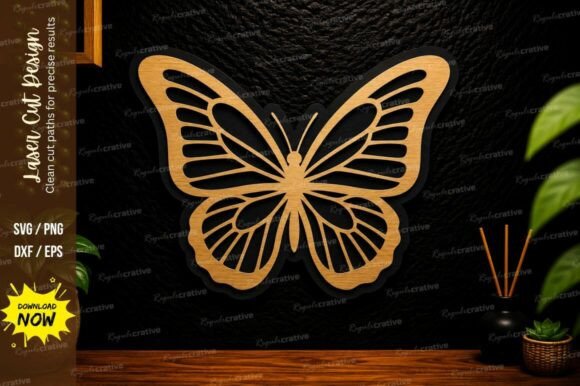
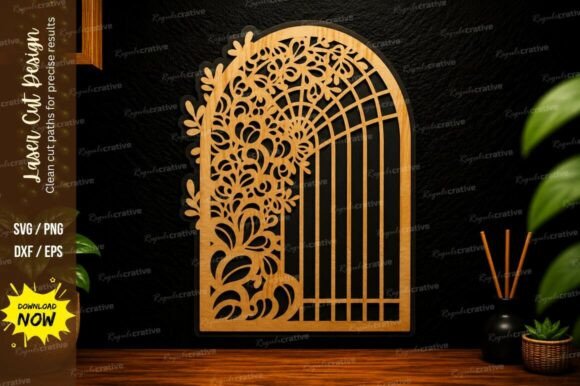
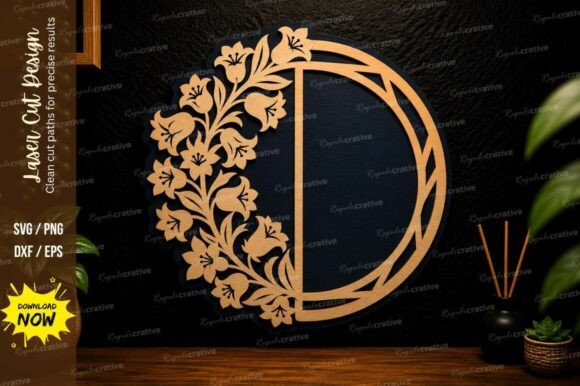
However, the laser cut variation elevates this concept. Unlike mass-produced plastic racks, laser-cut holders are crafted from materials like wood, acrylic, or leather using precision machinery guided by digital vector files. This allows for intricate designs, personalized names, and thematic elements that match a specific nursery decor, such as floral motifs, animals, or geometric patterns. The result is a piece of functional wall art that serves a dual purpose: it organizes essentials while enhancing the room's visual appeal.
The Role of Digital Files in Modern Crafting
The backbone of any laser-cut project is the digital file. When you purchase a Baby Bow Holder Laser Cut File Bundle, you are not buying a physical product but rather the intellectual blueprint required to create one. These bundles typically include a variety of file formats to ensure compatibility with different software and machines. Understanding these formats is crucial for anyone looking to dive into this hobby or business.
- SVG (Scalable Vector Graphics): Ideal for web use and compatible with many cutting machines like Cricut and Silhouette, though sometimes prone to scaling issues in industrial software.
- DXF (Drawing Exchange Format): Often the preferred format for professional laser software like LightBurn, as it maintains precise dimensions without distortion.
- EPS and PDF: Versatile formats widely used in graphic design software like Adobe Illustrator and CorelDRAW.
- PNG: A raster image format included primarily for preview purposes or for those who might want to print a template before cutting.
A comprehensive bundle usually provides all these variations (e.g., 10 SVG, 10 EPS, 10 PNG, 10 PDF, and 10 DXF files) to ensure that regardless of your setup, you have the right tool for the job. This flexibility is vital because, as many creators know, software like LightBurn can sometimes distort dimensions when importing SVG files. In such cases, switching to the DXF format ensures that your final cut matches the intended size perfectly.
How It Works: From Screen to Wall
The process of creating a personalized kids' hair clip hanger begins with the digital download. Once the zip archive is acquired and extracted, the creator imports the chosen design into their vector editing software. Here, the magic of laser cutting parameters comes into play. Most professional files are pre-configured with color-coded lines to guide the machine:
- Red Lines: These indicate where the laser should cut completely through the material.
- Black Lines: These signify areas to be engraved, adding texture, text, or decorative details without cutting through.
This distinction is critical for achieving a clean, professional finish. For instance, the outline of a bear-shaped holder would be cut in red, while the facial features or a personalized name would be engraved in black. After setting the power, speed, and frequency settings appropriate for the material (such as 3mm birch plywood or 3mm acrylic), the laser cutter executes the design with microscopic precision. The result is a "glowforge ready" or CNC-ready piece that requires minimal post-processing—perhaps just a light sanding or assembly.
Practical Relevance in Daily Life and Business
The significance of these digital bundles extends beyond personal DIY projects. They represent a microcosm of the broader "maker economy." For stay-at-home parents, educators, or entrepreneurial crafters, these files offer a low-barrier entry into product creation. With a single digital purchase, a user can produce unlimited physical units, making it an excellent model for small businesses selling on platforms like Etsy or at local craft fairs.
Furthermore, in an educational context, working with these files teaches valuable STEM skills. Children and adults alike learn about vector geometry, material science, and the operational logic of computer-controlled machinery. It bridges the gap between digital design and tangible reality, fostering a deeper appreciation for how objects are manufactured in the 21st century.
Common Misunderstandings and Technical Tips
Despite their user-friendly nature, newcomers often encounter hurdles. A common misconception is that all vector files behave identically across all platforms. As noted earlier, SVG files can sometimes suffer from scaling errors in industrial laser software due to unit interpretation differences (pixels vs. millimeters). Experienced users recommend verifying dimensions immediately upon import and utilizing DXF files for critical projects where size accuracy is paramount.
Another frequent point of confusion involves material selection. Not all woods or plastics are safe for laser cutting. For example, PVC should never be cut in a laser cutter as it releases toxic chlorine gas. Users must ensure they are using laser-safe materials like basswood, maple, MDF, or cast acrylic to ensure safety and quality.
Additionally, customization is key. Many buyers assume the design is static, but the beauty of vector files lies in their editability. Users can easily add a child's name, change the font, or resize the entire assembly to fit a specific wall space before sending it to the cutter. If a specific file type or color variation of a PNG preview is needed, reputable sellers often encourage customers to send a message to request these adjustments, highlighting the collaborative spirit of the digital marketplace.
The Future of Personalized Nursery Decor
As technology becomes more accessible, the trend toward personalized, on-demand manufacturing will only grow. The baby bow holder is a prime example of this shift. It moves away from generic, big-box store items toward unique, meaningful pieces that reflect a family's identity. Whether used as a heartfelt gift for a baby shower or a strategic product for a crafting business, these laser-cut designs embody the perfect blend of form and function.
For those interested in exploring this further, the availability of diverse file formats ensures that whether you are a hobbyist with a desktop cutter or a professional with a large-format CNC machine, there is a solution available. The ability to download, customize, and create instantly empowers individuals to take control of their organizational needs while engaging in a creative, rewarding process.
In conclusion, the Laser Cut Baby Bow Holder Bundle is more than just a collection of digital lines; it is a toolkit for organization, creativity, and entrepreneurship. By understanding the files, respecting the machinery, and embracing the potential for customization, anyone can transform a simple nursery wall into a showcase of order and beauty. As you embark on your own projects, remember that the community is always evolving, and staying connected with creators ensures you remain updated on future releases and innovative designs.
If you have questions about file compatibility, need a specific format not listed, or require assistance with sizing, reaching out to the designer is always encouraged. Happy cutting!